WOWK12

Introduction to AI · Grades 6–8

Creative learning with adults in the loop.

A school AI program needs more than an interesting project. WOWK12 gives authorized adults control over classroom access and tools, with moderated student prompts and activity available for instructor review. These controls support the school’s own decisions about using AI with students.

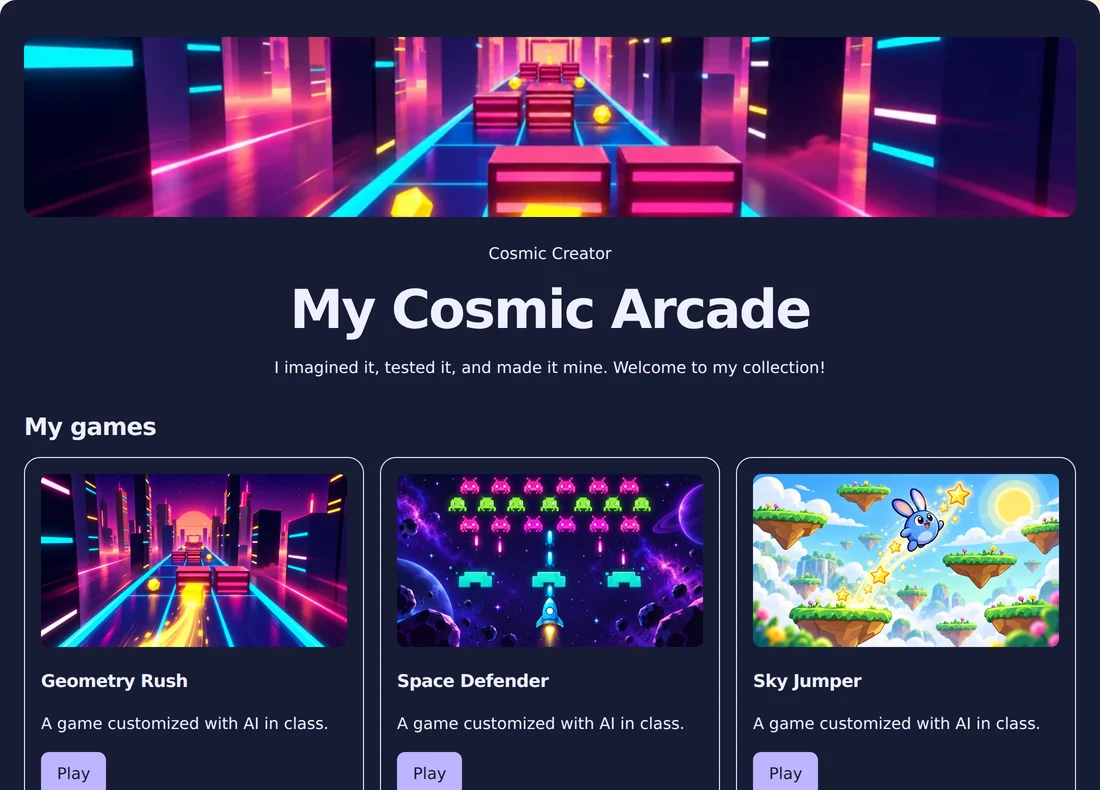
Sample finished student website with colorful game thumbnails and AI artwork
Illustrative sample project, not an actual student’s work.

School-managed identity and access

Students use their username and the Class Password instead of personal consumer chatbot accounts. Their teacher controls when the class is open. School or district authorization is required for section access, and lesson policy determines which tools are available.

Moderation and authorized oversight

Student prompts are screened. Generated images have safety checks, and image generation is teacher-enabled and quota-limited. Chat activity is logged for authorized oversight, and instructors can review activity in their own sections. Moderation supports supervision; it does not replace the instructor’s judgment.

Projects with defined boundaries

Interactive projects run pre-written programs. Students assemble components and change supported settings with AI. Privacy also appears in the curriculum: students practice choosing fictional nicknames, thinking about what to share, and explaining sources and creative credit.

What to review before a pilot

Use a demo to review classroom access, tools, moderation, and oversight with school leadership. Discuss your organization’s consent, retention, deletion, provider, and student-work sharing requirements. Confirm the practical arrangements for devices, internet access, and adult supervision before starting.

Before you begin

Questions from program leaders

Do students need personal chatbot accounts?

No. WOWK12 uses school-managed student access. Students sign in with their username and the Class Password while the teacher keeps class open.

Can teachers control access?

Authorized staff can open and close sections. Tools can be enabled by lesson policy, and instructors can review activity within their own sections.

Where can our school discuss data requirements?

Book a demo or contact info@3andb.com to review your school’s consent, retention, deletion, provider, and sharing requirements during pilot planning.

Let’s talk about your group.

Share your grade levels, calendar, and program goals. We’ll walk through the course and the next steps with you.